

 Home
Home Features
 Testimonials
 Downloads
 FAQ
FAQ What is Kikaroo?
 Blog
Blog Chore charts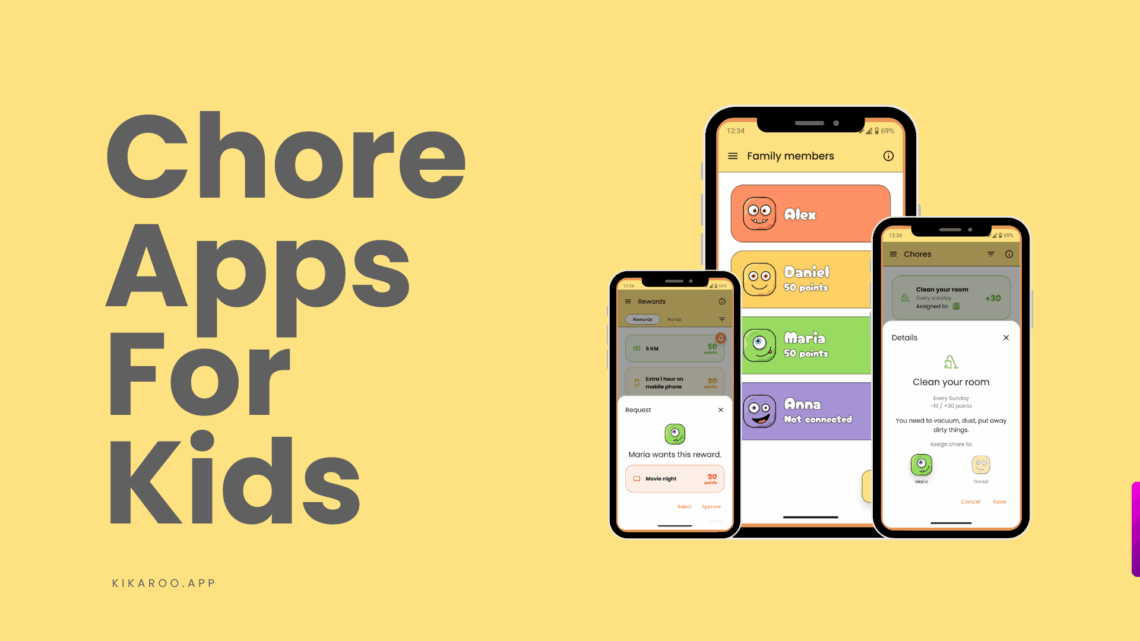
Updated September 2026. Prices and free-tier limits checked against each app’s own site or store listing this month.
The best chore app for kids in 2026 is Kikaroo for most families. The chores, points and rewards loop is free with no cap on kids or chores, and one app covers ages 4 to 18. Choose BusyKid if you want chores paid in real money on a debit card, MyChoreBoard if you want a completely free board for a shared tablet, and Cozi if chores are one part of a whole-family calendar.
Below: a comparison table, what we tested, a review of each of the 8 apps with its price and weak spot, and the questions parents ask most.
Chore apps for kids compared (as of September 2026)
| App | Price | Free tier | Platforms | Ages | Best for | Rewards |
|---|---|---|---|---|---|---|
| Kikaroo | Free; Premium $2.99/mo or $29.99/yr | Full chore, points and rewards loop, unlimited kids | iOS, Android | 4 to 18 | Most families | Points for rewards you choose |
| Neat Kid | Free for one child; $3/mo for more | One child only | iOS, Android | 4 to 12 | Kids under 8 who like stars | Stars and points |
| MyChoreBoard | Free, no paid tier | Everything | Web, iOS, Android, Amazon Fire | Non-readers and up | A shared family tablet | Points for rewards |
| S’moresUp | $9.99/mo or $99.99/yr after a 45-day trial | Basic pack after the trial | iOS, Android | 5 and up | Big families with rotating chores | Points and a wallet |
| Homey | Free up to 3 family members; $4.99/mo or $49.99/yr | 3 users total | iOS, Android, Amazon | 5 and up | Allowance without a bank card | Allowance in spend, save and give jars |
| BusyKid | $4/mo billed as $48/yr; no free plan | None | iOS, Android | Kids and teens | Paying chores in real money | Money on a prepaid Visa |
| Greenlight | From $5.99/mo ($71.88/yr); no free plan | None | iOS, Android | Kids and teens | Teens with a debit card | Money to a debit card |
| Cozi | Free with ads; Cozi Gold about $39/yr | Calendar, lists and chores, with ads | iOS, Android, web | Whole family | A family planner with a chore list | None |
Prices are the vendor’s US prices as of September 2026 and change often, so check the app store before you decide. Every app on this list runs on both iPhone and Android.
How we tested
We set up every app as a two-parent, two-kid household and ran a normal week of chores through it: a morning routine, an after-school list, one weekend job, and one reward to work toward. Then we checked the price and the free-tier limits against each vendor’s own site or store listing in September 2026. We scored each app on five things:
- Setup time. Can a busy parent have chores and rewards ready in ten minutes, or does it take an evening?
- What the free tier really covers. Can you run the daily routine without paying, or is free a trial with a countdown?
- Kid login. Does each child get their own view, or does the phone get passed around?
- Rewards. Points you can spend on anything, or only money on a card?
- Staying power. Does the system still make sense in week four, when the novelty is gone?
Kikaroo is our own app, so we say so in its review and we list its weak spot the same way we do for everyone else. If you want the app-by-app numbers side by side, the table above is the short version.
1. Kikaroo: best chore app for kids 4 to 18 (free core)
- Price: Free. Premium $2.99 per month or $29.99 per year, as of September 2026
- Free tier: Unlimited kids and chores, points, rewards, parent approval, reminders, no ads
- Platforms: iOS and Android
- Ages: 4 to 18, in one app
- Rewards: Points your child redeems for rewards you set: screen time, an outing, a treat, pocket money, anything
- Best for: Families who want the chores-and-rewards routine to run itself, without paying per child
- Weak spot: No allowance maths, no debit card, no family calendar. If you want chores paid in money, look at Homey or BusyKid
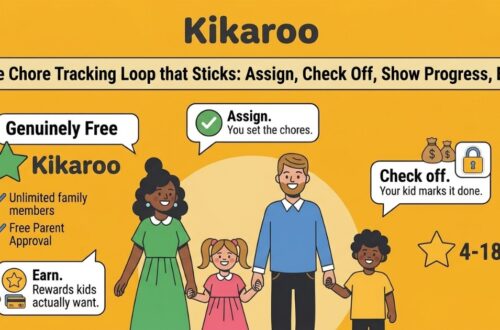
Kikaroo is built around one loop: you assign a chore with a point value, your child completes it, you approve it, and the points land in their balance. They spend those points on rewards you set up, so the reward is something they want, which is what keeps them interested past the first week.
Setup takes about five minutes. You add each child, type in the chores and how often they repeat, and add a few rewards with a price in points. Each child gets their own login and sees only their own list, their points, and what they are saving for. Parents get one dashboard for the whole family.
It works from age 4 with short, simple chores, and it still works at 15 because the rewards grow with the child. A 5-year-old saves for a sticker book and a teenager saves for a later curfew, in the same app. The premium plan adds extras like step-by-step checklists inside a chore, but nothing in the daily routine sits behind it.
Get Kikaroo on the App Store, or find it on Google Play. The free tier is the full routine, no card required.
2. Neat Kid: best for kids under 8 who love stars
- Price: Free for one child. $3 per month to add more children, as of September 2026
- Free tier: One child, one caregiver
- Platforms: iOS and Android
- Ages: 4 to 12 on Google Play; the App Store listing focuses on 5 to 8
- Rewards: Stars and points on a visual chart
- Best for: A first chore chart for a preschooler or early reader
- Weak spot: Stars stop working around age 9 or 10, and the free plan covers only one child
Neat Kid is a bright, picture-led chore chart. Young kids tap their morning and evening routines, watch stars fill up, and trade them for a reward. It is rated 4.4 on Google Play from about 1,500 reviews, and its store listings sit on Google’s first page for this search.
The catch shows up when your child is older, or when you have a second child. Stars on a screen motivate a 5-year-old and bore a 10-year-old, and the second child needs the $3 plan. If that is where you are, our Neat Kid alternative guide walks through the switch.
3. MyChoreBoard: best completely free option for a shared tablet
- Price: Free, with no paid tier and no ads, as of September 2026
- Free tier: Everything the app does
- Platforms: Web (works in any browser), iOS, Android, Amazon Fire
- Ages: Non-readers and up; big icons for kids who cannot read yet
- Rewards: Points redeemed for rewards you add
- Best for: A tablet on the kitchen counter that the whole family checks
- Weak spot: No allowance or money features, and a lighter feature set than the paid apps
MyChoreBoard is a board, as the name says. Chores are grouped by time of day, every child sees their own column, and a WallBoard mode turns a spare tablet into a family display. It runs in a browser, so it works on a PC or a Fire tablet as well as phones.
It is free with no upgrade, which is rare. Parents in its reviews mention it working well for kids with ADHD because the day is laid out in one glance. If you later want reminders on each child’s own phone and rewards that grow with age, Kikaroo covers that; if you want money attached, it does not, and neither does MyChoreBoard.
4. S’moresUp: best for big families with rotating chores
- Price: $9.99 per month or $99.99 per year since July 2026, after a 45-day trial
- Free tier: A basic pack after the trial; approval workflows and photo proof are premium
- Platforms: iOS (rated 4.2) and Android (rated 3.3), as of September 2026
- Ages: 5 and up
- Rewards: Points and an in-app wallet
- Best for: Three or more kids and chores that rotate, compete or need a team
- Weak spot: The price has doubled since launch, and approving a chore is a paid feature
S’moresUp is the most feature-rich chore app on this list. Chores can rotate between siblings, run as a competition, or need everyone to finish. There is a family hub, smart scheduling and analytics. If you have a large household and a parent who enjoys configuring things, it does more than anything else here.
It also costs the most for a chore app. Premium launched at $4.99, moved to $7.99, and rose to $9.99 a month in July 2026, with parent approval of chores sitting behind that paywall. Our S’moresUp alternative guide covers what you keep and what you give up if you move.
5. Homey: best for allowance without a bank card
- Price: Free for up to 3 family members. Premium $4.99 per month or $49.99 per year, as of September 2026
- Free tier: 3 users total, so most two-kid families hit the cap on day one
- Platforms: iOS, Android, Amazon
- Ages: 5 and up
- Rewards: Allowance split into spend, save and give jars, with photo proof of the chore
- Best for: Teaching money habits without signing up for a debit card
- Weak spot: Feels like accounting software, and the 3-user cap pushes families to paid quickly
Homey connects each chore to an amount of money and moves that money into virtual jars when the chore is approved. Kids can be asked to upload a photo of the finished job first. It sits between a points app and a debit-card app, with real money and no card.
The free plan supports three people, so two parents and two kids is already over the limit. Setup is longer than most, because every chore needs a price and every jar needs a rule. Here is our Kikaroo vs Homey comparison if you are deciding between the two.
6. BusyKid: best chore app that pays real money
- Price: $4 per month, billed as $48 per year, as of September 2026. No free plan
- Free tier: None
- Platforms: iOS and Android
- Ages: Kids and teens; most useful once a child can use a card
- Rewards: Real money paid every Friday to a BusyKid prepaid Visa, with save, share, spend and invest buckets
- Best for: Families who want chores to teach spending, saving and investing
- Weak spot: No free plan, extra card fees, and too abstract for kids under about 8
BusyKid turns the chore list into a payroll. Each completed chore adds to a weekly payday, the money lands on the child’s prepaid card, and the child can split it between spending, saving, giving and even buying fractions of stocks. For a 12-year-old who wants their own card, it is a good first step into money.
You pay from day one, there is no trial, and card fees can add up on top of the $48 a year. Younger kids do not get much from a balance they cannot see or touch. Comparing BusyKid with other options? See our BusyKid alternative guide and the Kikaroo vs BusyKid numbers side by side.
7. Greenlight: best for teens who want a debit card
- Price: From $5.99 per month ($71.88 per year) across four plans, as of September 2026. No free plan
- Free tier: None; chores cannot be used without a subscription
- Platforms: iOS and Android
- Ages: Kids and teens
- Rewards: Money paid to a Greenlight debit card, per chore or as a weekly allowance
- Best for: Teens who need a card anyway, in a family that wants chores attached to it
- Weak spot: It is a banking product with a chore list attached, and the priciest option here
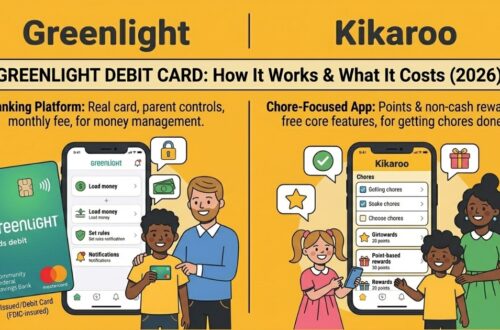
Greenlight is the biggest name on this list, with millions of families on it, and its chores feature is solid: assign a chore, set a payment, and make allowance depend on it. Teens get a real debit card with parental controls, and the app adds savings and investing lessons.
If chores are the reason you are here, you are paying about $6 a month for a service where chores are one tab among many, and there is no free way to try it. Our Greenlight alternative guide breaks down the four plans and their fees.
8. Cozi: best family planner with a chore list
- Price: Free with ads. Cozi Gold about $39 per year, as of September 2026
- Free tier: Shared calendar, shopping lists, to-do lists and chores, with ads and a 30-day history limit
- Platforms: iOS, Android, web
- Ages: Whole family
- Rewards: None
- Best for: Families who already run their week from a shared calendar
- Weak spot: The chore list is a plain to-do list with no points or rewards
Cozi is one of the most popular family organizers there is. Everyone sees the same calendar, the same shopping list, and a colour-coded to-do list per person. If your household problem is coordination rather than motivation, it is a good place to start.
As a chore app for kids it is thin. A child can tick a task, but nothing happens next: no points, no reward, no streak. Cozi Gold mostly removes the ads. Many families run Cozi for the calendar and a dedicated chore app for the kids; our Cozi alternative guide explains how to pair them.
More apps we compared
Joon turns chores into quests that feed a virtual pet and is built for kids aged 6 to 12 with ADHD. It costs $12.99 a month, and the free tier allows 7 tasks a day. See Kikaroo vs Joon.
Nipto is about fair distribution of chores between family members, with points and a weekly winner. It suits families who argue about whose turn it is more than families who need rewards. Here is our Nipto alternative guide.
OurHome was the go-to free chore app for years and still appears in older lists and in AI answers. It can no longer be downloaded: its Google Play listing came down in 2023 and it is absent from the App Store. Here is what happened to OurHome and where its families went.
Points or real money: which reward system works?
The apps above split cleanly on this. Kikaroo, Neat Kid, MyChoreBoard and S’moresUp reward chores with points. Homey, BusyKid and Greenlight reward them with money.
Points work for more ages. A point can become anything: ten minutes of screen time for a 6-year-old, a sleepover for an 11-year-old, petrol money for a 17-year-old. You set the price, and you can change the reward the moment it stops motivating. There is nothing to sign up for and nothing to pay.
Money works once a child understands money. Somewhere between 8 and 12, most kids start to care about a balance they control. A debit card app turns chores into an income, and the lessons about saving and spending come free with it. Below that age the balance is abstract, and the app is a subscription for a lesson the child is not ready for.
The practical answer for many families is both: a points app for the routine, and cash or a card for the bigger jobs. Nothing stops you making the reward in Kikaroo “$5 in your account” when your child is old enough for that to matter.
Best chore app for kids with ADHD
Parents of kids with ADHD ask this more than any other group, and the answer is about the interface. What helps is one screen that shows only today, a small number of chores, immediate feedback when one is done, and a reward close enough to reach this week.
Joon is designed for it: chores are short quests, and the virtual pet gives instant feedback. It costs the most on this list. MyChoreBoard lays the day out in one glance on a shared screen, which parents in its reviews single out. Kikaroo keeps each child’s list short and visible, and the reward is whatever works for your child.
Whichever you pick, start with two or three chores and add more once those hold for two weeks.
Chore apps for a shared family tablet
Not every child has a phone. If the chores live on a tablet in the kitchen, you want an app that either shows the whole family on one screen or lets each child switch to their own view in a tap.
MyChoreBoard is built for this, with a WallBoard mode and a browser version that runs on a Fire tablet. Kikaroo gives each child their own login, so on a shared device a child signs in, ticks their chores, and signs out. Cozi shows everyone’s lists at once but has no reward loop. Debit-card apps assume a phone per child and are the wrong fit here.
What to look for in the best family chore app
A chore chart on the fridge works until you have more than one kid, two different schedules, and a week where nobody remembers whose turn it was. The best family chore app fixes that by giving everyone their own view: parents see the whole household, each child sees only their chores, their points, and what they are working toward.
When you are choosing one for the whole family, three things separate an app that sticks from one that gets deleted by week three:
- A separate login for every kid. A 4-year-old and a 14-year-old need different chores and different rewards. One shared screen means passing the phone back and forth; individual profiles let each child own their list.
- Rewards the kids actually care about. Points that turn into screen time, an outing, or something they picked beat a generic gold star. When the reward is real, the reminders start coming from the kids instead of from you.
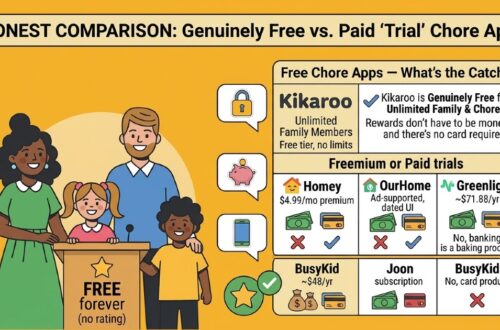
- A free version that covers the daily routine. Assigning, completing and rewarding, with no card and no per-child fee. Kikaroo’s free tier does this for as many kids as you have; Neat Kid’s covers one child, Homey’s covers three people, and BusyKid and Greenlight have no free tier at all.
For most families with kids, that combination of individual profiles, real rewards, and a usable free tier is what “best” comes down to. If your kids are 13 and up, the trade-offs shift; see our guide to the best chore apps for teens.
How to choose the best chore app for your family
Start with your child’s age. Under 8, pick a points app with a simple list: Kikaroo, Neat Kid or MyChoreBoard. From 8 to 12, points still win for most kids, and money starts to make sense for some. From 13, a debit card app can be the right call if the teen needs a card anyway. For what to actually assign at each age, see chores for kids by age.
Then be honest about how much time you want to spend inside the app. S’moresUp and Homey reward a parent who likes configuring things. Kikaroo, Neat Kid and MyChoreBoard are set up in minutes and then left alone.
Choosing the app is only half the job. The other half is the setup, because even the best app gets abandoned by week two if the kids never make it their own. Here is how to set up a chore tracker that sticks, from separate logins to the first reward.
Do chore apps work? What the evidence says
The evidence is about the chores themselves, and it goes back further than the apps do.
According to a University of Minnesota study led by Marty Rossmann, which followed 84 children from preschool into their mid-twenties, the young adults who had started chores at age 3 or 4 were more likely to be doing well in education, early career and relationships than those who started as teenagers or not at all (Rossmann, University of Minnesota, 2002).
According to a 2014 Braun Research survey of 1,001 US adults, 82% had regular chores as children, but only 28% give regular chores to their own kids (Braun Research for Whirlpool, reported by CBS News). Parents still believe in chores; the daily arguing is what they gave up on.
A chore app takes over that part. The list is on a screen, the reward is set in advance, and the reminder comes from the app instead of from you. Whether that still works in week four is what we scored above.
Chore charts, cash and piggy banks still have a place
A paper chart on the wall works for a first routine, especially for kids who cannot read yet. If you want one, our free chore chart generator prints one by age and style in a minute.
Cash and a piggy bank teach younger kids what money is in a way a balance on a screen cannot. Many families run a chore app for the routine and a jar on the shelf for the pocket money.
Frequently asked questions about chore apps for kids
Kikaroo is the best chore app for most families. It works for kids aged 4 to 18, uses a points and real-world rewards system that actually motivates children, and the core features are completely free. Parents assign chores with point values, kids complete them and earn points toward rewards they choose, such as screen time, treats, outings, or anything meaningful to your family.
Kikaroo has the most complete free tier of the apps we tested: unlimited kids and chores, points, rewards, parent approval and reminders, with no daily cap and no trial clock. MyChoreBoard is completely free with no paid tier at all, and is the better pick if you want a board on a shared tablet. Neat Kid is free for one child, Homey for three family members, and BusyKid and Greenlight have no free plan.
For families with kids, the best chore app is one that gives every child their own login, lets you set rewards they actually want, and stays free for the everyday routine. Kikaroo covers all three, with an optional $2.99 a month premium for extras like checklists. Cozi is worth a look if you want a shared family calendar alongside the chores. OurHome, once the go-to free option, is no longer available to download; here is what happened to OurHome.
Kikaroo works from age 4 with simple task names and clear checklists young children can follow on their own. Neat Kid’s star chart also suits this age. Avoid apps with complex game mechanics or money management at this age; they are too abstract. The best setup for young kids is a short daily list with a reward they can earn within a few days.
For teenagers, Kikaroo works well because real-world rewards such as pocket money, screen time and experiences stay motivating at any age. BusyKid or Greenlight are worth considering if your teen is ready for a debit card. See our full guide to the best chore apps for teens.
Look for one screen that shows only today, a short list, instant feedback and a reward within reach this week. Joon is built for ADHD with short quests and a virtual pet, at $12.99 a month. MyChoreBoard lays the day out on one shared screen. Kikaroo keeps each child’s list short and lets you set whatever reward works for your child. Start with two or three chores, not ten.
Both work; it depends on your child’s age and your goals. Points redeemable for custom rewards, the Kikaroo model, work at every age and cost nothing. Money-based rewards, the BusyKid and Greenlight model, suit kids from about 8 who understand a balance and families who want to teach saving and spending.
Yes. MyChoreBoard has a WallBoard mode and runs in a browser, so it works on a Fire tablet or an old iPad. Kikaroo gives each child their own login, so on a shared device a child signs in, ticks their chores and signs out. Debit-card apps assume a phone per child.
Age guides the number: children aged 4 to 6 can handle 1 or 2 simple daily tasks, such as making their bed or putting toys away. Ages 7 to 10 can manage 3 or 4. Ages 11 to 13 can take on 4 or 5, including bigger jobs like vacuuming or laundry. Teens can handle 5 or more, with more responsibility per chore. Start below the number you think is right and add chores as the routine holds.
Children as young as 2 or 3 can begin with simple tasks like putting toys in a bin or carrying their plate to the sink. These early chores are about building the habit of contributing, not the task itself. By age 4 or 5 a child can follow a short daily list in an app like Kikaroo, which is where a chore app starts to earn its place.
Yes, for most families. The key reason is consistency. An app gives kids a clear list they can check themselves, which removes the need for parents to repeat instructions. Apps with a reward system add motivation beyond the checklist. The families that stop using one usually started with too many chores or a reward the child did not care about.
Usually one of three things: a cap on how many children or chores you can add before paying, the reward or approval system locked behind a subscription, or a free app that is really the front end for a paid debit card. Kikaroo’s free tier has none of those, and MyChoreBoard has no paid tier at all.
No. The original OurHome chore app came off Google Play in late 2023 and is absent from the App Store; its website has not changed since 2022. It still shows up in older lists. Here is what happened to OurHome and where its families went.
Which chore app is best for your family?
- Most families: Kikaroo. Free routine, points for any reward, ages 4 to 18.
- A first chart for a preschooler: Neat Kid, free for one child.
- A shared tablet and zero budget: MyChoreBoard.
- Three or more kids and rotating chores: S’moresUp, if the price fits.
- Allowance without a bank card: Homey.
- Chores paid in real money: BusyKid.
- A teen who needs a debit card anyway: Greenlight.
- A family calendar with a chore list: Cozi.
Pick the one that fits your children’s ages and your patience for setup, start with a short list, and give it four weeks before you judge it.
If you want to start today, Kikaroo is free, takes about five minutes to set up, and you can add every child in the house without paying for any of them.