

 Home
Home Features
 Testimonials
 Downloads
 FAQ
FAQ What is Kikaroo?
 Blog
Blog Chore charts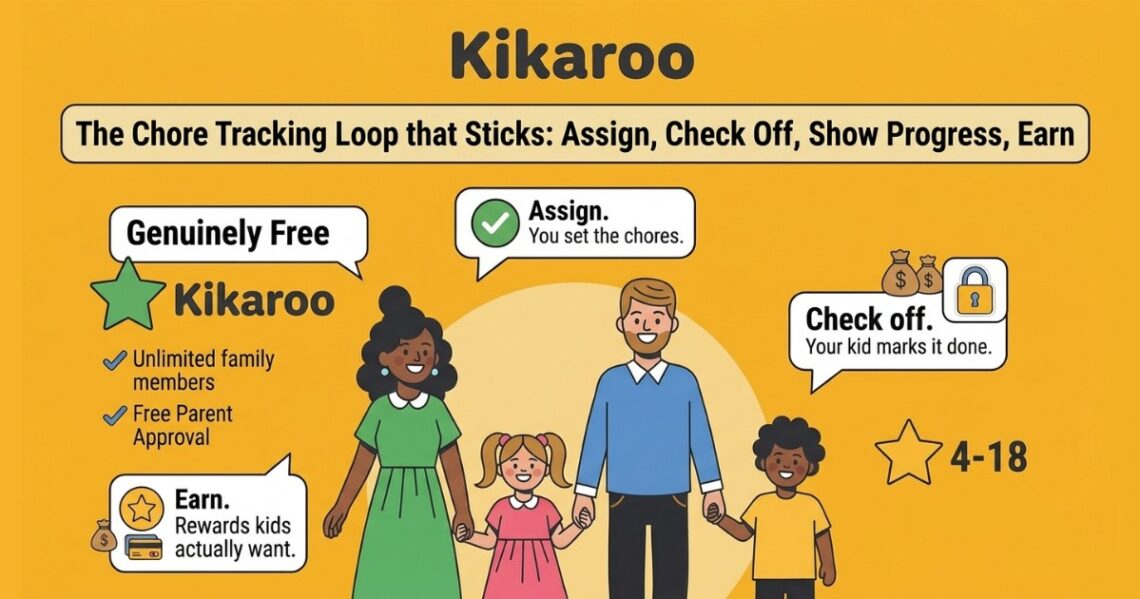
You have probably done this. You make a chart, stick it on the fridge, and for about a week everyone checks their boxes. Then it goes quiet. The chart is still there in August with three stickers on it, and you are back to reminding everyone twice a day.
The problem usually is not the chart. It is the tracking. A paper chart cannot remind anyone, cannot show a kid how close they are to a reward, and cannot tell you at a glance who actually did what. That is the gap a chore tracker app fills. But an app only helps if your family keeps using it past week one, and most do not because of how they were set up, not which one was picked.
This guide is about the tracking itself: what a chore tracker app actually does, what to look for in one, and how to set it up so it still gets opened in week three. If you want a full side by side comparison of specific apps, the best chore apps for kids breakdown covers that. This page is about making any of them stick.
What a Chore Tracker App Actually Does
Strip away the marketing and a good chore tracker does four simple things in a loop:
- Assign. You set the chores, who does them, and when. Once. Recurring chores repeat on their own.
- Check off. Your kid marks a chore done from their own login, not yours.
- Show progress. Everyone can see what is done, what is left, and how close a reward is.
- Earn. Completed chores turn into points, and points turn into a reward the kid actually wants.
That last step is what separates a tracker from a to do list. A checklist tells a kid what to do. A tracker gives them a reason to do it and a way to watch their own progress add up. That visible progress is what keeps the routine alive after the novelty wears off.
What to Look For in a Chore Tracker App
You are not looking for the app with the most features. You are looking for the one your family will still use in a month. These are the things that decide that.
- A separate login for each kid. When children check off their own chores instead of reporting to you, ownership goes up and the nagging goes down. This is the single biggest difference between an app that sticks and one that does not.
- Progress kids can see themselves. Points that visibly add up and a clear “what’s next” do more for consistency than any reminder you send.
- A reward loop, not just a checklist. A tracker that ends at “done” loses younger kids fast. One that turns chores into points toward a reward they chose keeps them coming back.
- Recurring chores and rotation. Most chores repeat. Setting “take out the trash every Tuesday” once, or rotating dishes between siblings fairly, saves you from rebuilding the list every week.
- Room to grow with your kids. A tracker that works for a 5 year old and a 15 year old means you are not switching apps every couple of years. Age-appropriate rewards matter here, because what motivates a 6 year old will not move a teenager.
- A setup you can finish in minutes. If it takes an hour to configure, it will be abandoned before it is finished. Simple wins.
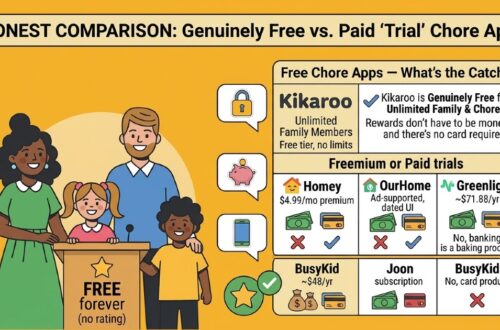
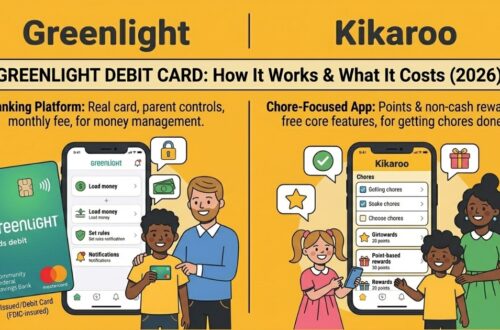
- No surprise costs. Watch for per-child fees, rewards locked behind a subscription, or a “free” tracker that is really the front end for a paid debit card. A genuinely free tracker exists, so you do not have to settle for one that charges the moment your kids are set up.
How to Set Up Chore Tracking That Sticks
The app is the easy part. How you start it is what determines whether it lasts. Five steps:
- Add the kids and give each one their own login. Do this together. Let them pick their avatar and their first reward. The moment a chore tracker feels like theirs and not yours, they start opening it on their own.
- Start with five chores, not fifty. A short, winnable list beats a complete one nobody finishes. You can always add more once the habit is in place.
- Set a reward that is real and reachable. For younger kids, a reward they can earn in a few days keeps them engaged. Distant rewards lose them. Screen time, a special activity, or a small treat all work, as long as they chose it.
- Let the tracker do the reminding. This is the whole point. Once chores are assigned and visible, stop being the reminder. Let the kids check their own list. The app removes the reason you were nagging.
- Review progress together once a week. A two minute look at the week, what got done, what reward is close, keeps the routine consistent and gives you a moment to praise the effort rather than chase the misses.
Do those five things and the tracker keeps working. Skip the first one, the separate logins, and you are just keeping a paper chart on a screen.
Tracking Chores as Your Kids Grow
One reason families abandon trackers is that the app stops fitting the kid. The tracking that works changes with age.
Younger children respond to seeing points pile up and cashing them in quickly. The reward needs to be close and concrete. Older kids and teens care less about stickers and more about autonomy and a goal worth working toward, like saving points toward something bigger. A tracker that lets you adjust the rewards as kids grow, instead of forcing the same system on a 6 year old and a 14 year old, is the one that lasts through all of it. That is also why the same tool can carry a family from the first week of chores through the teenage years without a switch.
Using Kikaroo as Your Chore Tracker
Kikaroo is built around exactly this tracking loop, for parents and kids specifically. Each child gets their own login. You assign chores, they check them off, and completed work earns points that convert into rewards you set yourself. Because the rewards are age-appropriate and fully customizable, the same setup works from age 4 through 18, so you are not switching trackers as your kids grow.
The free tier is genuinely usable, not a trial: unlimited kids, unlimited chores, the full points and reward system, and no debit card required. Setup takes minutes, not an hour. There is an optional premium plan, $2.99 a month or $29.99 a year, that adds extras like chore checklists and a shared pool of chores any kid can claim, but you do not need it to run the daily routine. If the goal is to build responsibility and independence and get the chores done without the nagging, the free version does the job.
Frequently Asked Questions
How do I track my kids’ chores?
The simplest way is a chore tracker app where each child has their own login, checks off chores themselves, and earns points toward a reward. Set the chores once, let recurring ones repeat automatically, and check progress together weekly. The key is that kids track their own work rather than reporting to you, which is what builds the habit and ends the daily reminders.
Is there a free chore tracker app?
Yes. Some apps offer a genuinely free tier with real chore tracking, child logins, and a reward system at no cost. Kikaroo’s free version has no limit on kids or chores and needs no card. Watch out for trackers that are free for only one child or a few chores and start charging after that, or “free” apps built around a paid debit card.
What is the best chore tracker app for families?
The best one is the tracker your family will still use in a month: separate logins for each kid, visible progress, a reward loop kids care about, and a setup you can finish in minutes. Several apps fit different families, so the right pick depends on your kids’ ages and whether you want allowance or rewards. The best chore apps for kids comparison weighs the main options side by side.
Can a chore tracker app teach kids about money?
Some can. Apps built around a debit card tie chores to real allowance and spending, which suits families whose main goal is money management. If your goal is the chores themselves, a points and rewards tracker is simpler and does not require handing a child a card. The two approaches overlap, and how chore apps and allowances work together explains where each one fits.
Do chore tracker apps work for teenagers?
Yes, if the rewards grow with them. Teens lose interest in sticker-style rewards but respond to autonomy and saving points toward a bigger goal. A tracker that lets you customize rewards by age keeps working through the teenage years. The best chore apps for teens covers what changes when your kids get older.
How is a chore tracker app different from a chore chart?
A paper chore chart records what should happen. A chore tracker app does the reminding, shows each kid their own progress, and turns completed chores into points toward a reward automatically. The chart depends on you to enforce it. The app gives the kids a reason to keep up on their own, which is why it tends to outlast the fridge chart.
The Bottom Line
A chore tracker app does not fix the routine on its own. How you set it up does. Give each kid their own login, start with a short list, make the reward real, and then let the tracker do the reminding instead of you. That is the difference between an app that gets abandoned in week one and a routine that runs itself.
If you want a tracker built for parents and kids that does all of this, with unlimited kids and chores, age-appropriate rewards that scale from 4 to 18, and no card to sign up for, Kikaroo is free to set up today.